Stitch & export
Combine moments into a finished compilation.
Build a compilation
Open Editor to build a compilation in Stitch. Add the recordings and clips you want to use, then arrange them on the timeline.
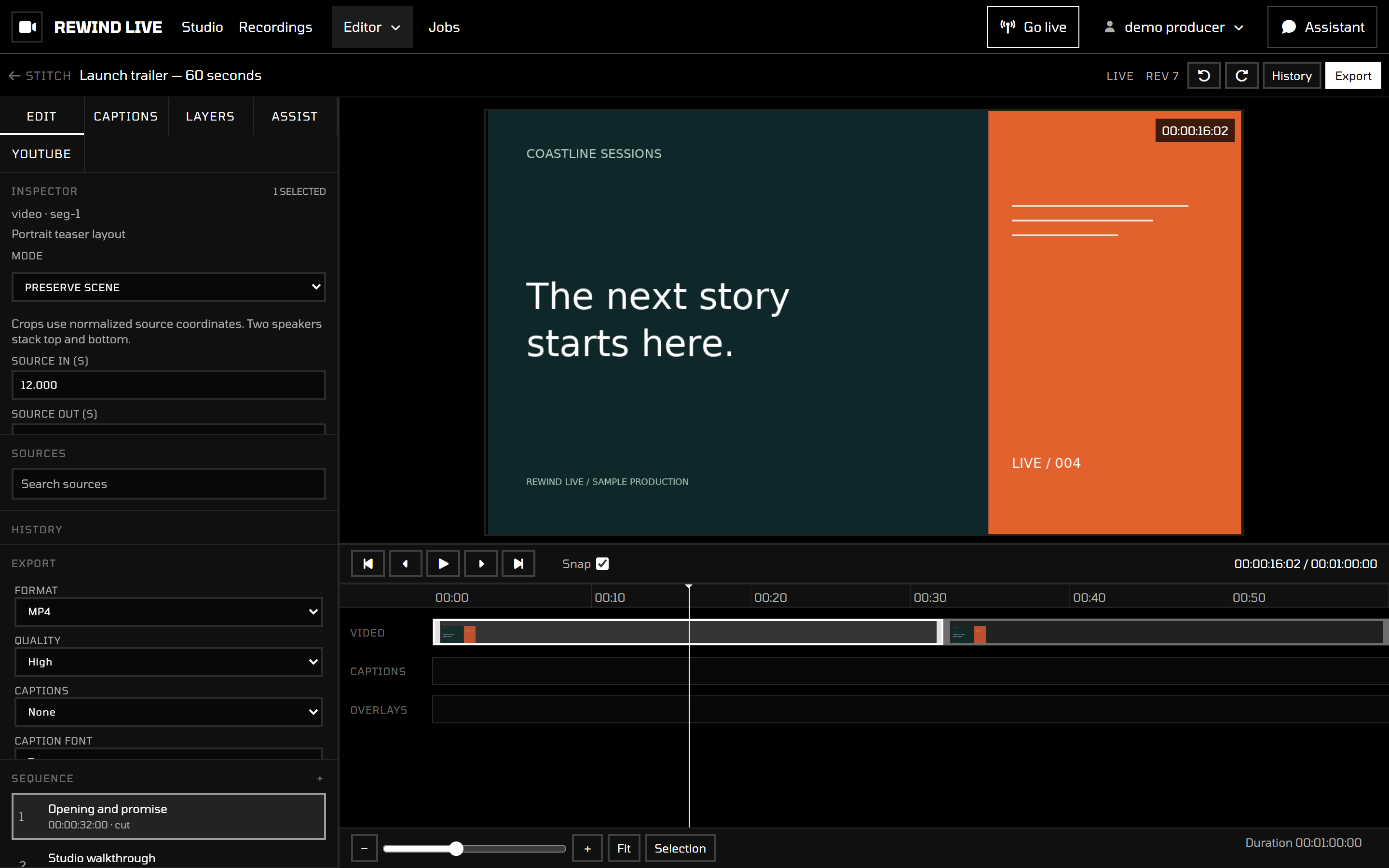
Check the sequence
Review the order of the segments and the transition between each pair. A good cut preserves the point of the moment without carrying unnecessary lead-in or dead air.
For precise editing, use a larger display so you can see the player and timeline together.
Export the finished piece
Use the workspace's export controls after reviewing the sequence. Processing time depends on the length and complexity of the output. Keep the source recordings available while an export is running.
Download the finished output when it is ready. You can then publish it using your destination platform's usual upload process.
If an export fails
Confirm that the source recordings are still available and playable. Retry after refreshing the workspace. If the failure persists, record the job or compilation name and the visible error message for your service administrator.
See Troubleshooting for other common problems.